Check Availability
Availability checks prevent failed downloads and make recurring automation reliable.
They answer two different questions:
- Which dates exist for this area/time window?
- Is this exact request configuration fulfillable for a specific date?
Use both checks together.
If you first need order-level lifecycle progression (historical done vs recurring up to date), see Check order status.
API Availability Checks
1) Find Candidate Dates in an Area
POST /api/satelliteimages/search/available- Use this first to list dates that have imagery for your AOI and time window.
- Best for planning historical downloads and confirming whether new recurring dates have appeared.
2) Verify a Specific Single-Date Request
POST /api/satelliteimages/process/composite/available- Use this before
estimateorprocesswhen you already have an exact date and output setup. - This validates the full request configuration, not just date presence.
Keep Request Settings Aligned
For trustworthy results, run availability checks with the same settings you will use for download:
- Model
- Satellite constellations
- Date
- AOI / tile / minitile selection
- Output-related fields that affect processing behavior
Dashboard Checks
- Use My Orders - Availability to inspect date-level status within a specific order.
- Use Coverage Lookup when you want combined availability across overlapping orders.
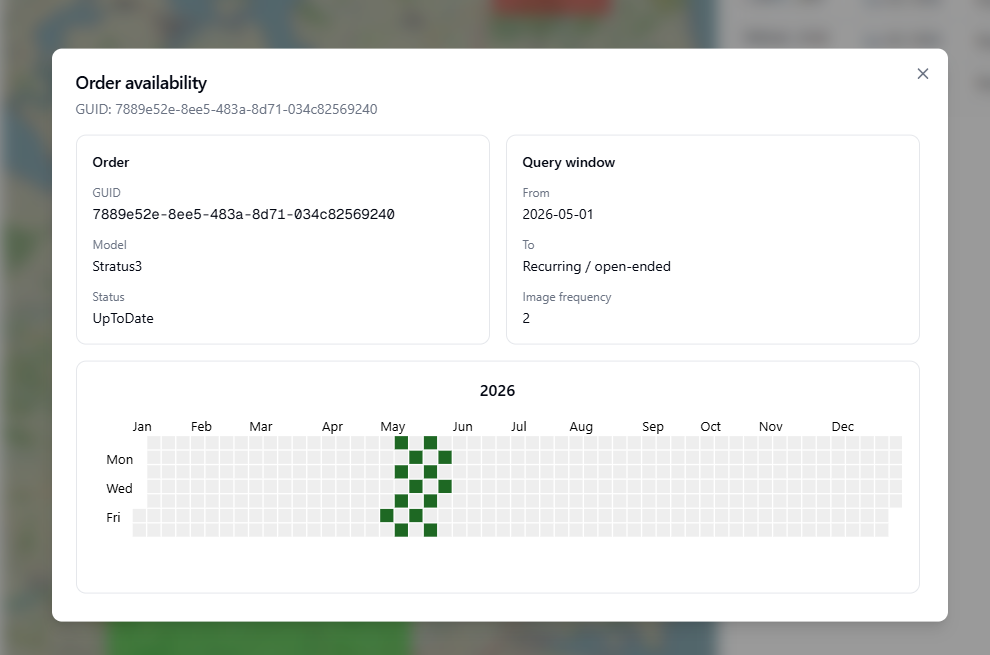
Dashboard availability view for checking which dates are ready before download.
When to Use Availability Checks
- Before creating new automation: confirm your target area/time has useful historical dates.
- After historical order creation: verify which dates are actually ready to download.
- For recurring live monitoring: poll for newly produced dates, then trigger download only for those dates.
Recommended Pattern
- Check candidate dates.
- Verify composite availability for the exact single-date request.
- Trigger download only when available (or allow partial only if your workflow supports it).
For endpoint contracts, see Availability endpoints. For related order lifecycle behavior, see Historical vs recurring orders and Cancel or modify recurring orders.